
Game Sales Explorer is a desktop data analysis application built with Python, PyQt6, and SQLite that allows users to explore video game sales data through an interactive graphical interface. The application supports dynamic filtering by title, genre, publisher, and platform, sortable data tables, and SQL-driven queries against a structured database generated from a CSV dataset. This project demonstrates GUI development, database design, query logic, and data-driven application development.


The application uses Python and SQLite to automatically create a structured database from the source CSV file on first launch if a database does not already exist. During this process, the raw dataset is read, cleaned, and converted into SQL tables, including a main games table along with supporting lookup tables for publishers, genres, and platforms. Missing values are handled during import, and the data is inserted into the database for persistent storage and efficient querying. This automated database creation process allows the application to transition from a flat CSV dataset into a relational structure optimized for filtering, sorting, and interactive data analysis.
The database is organized into multiple tables to separate and structure the data. A main games table stores core game information such as title, platform, year, genre, publisher, and regional and global sales figures, while supporting lookup tables for publishers, genres, and platforms store distinct values used for filtering and search options. This structure keeps the data organized and supports efficient querying within the application.
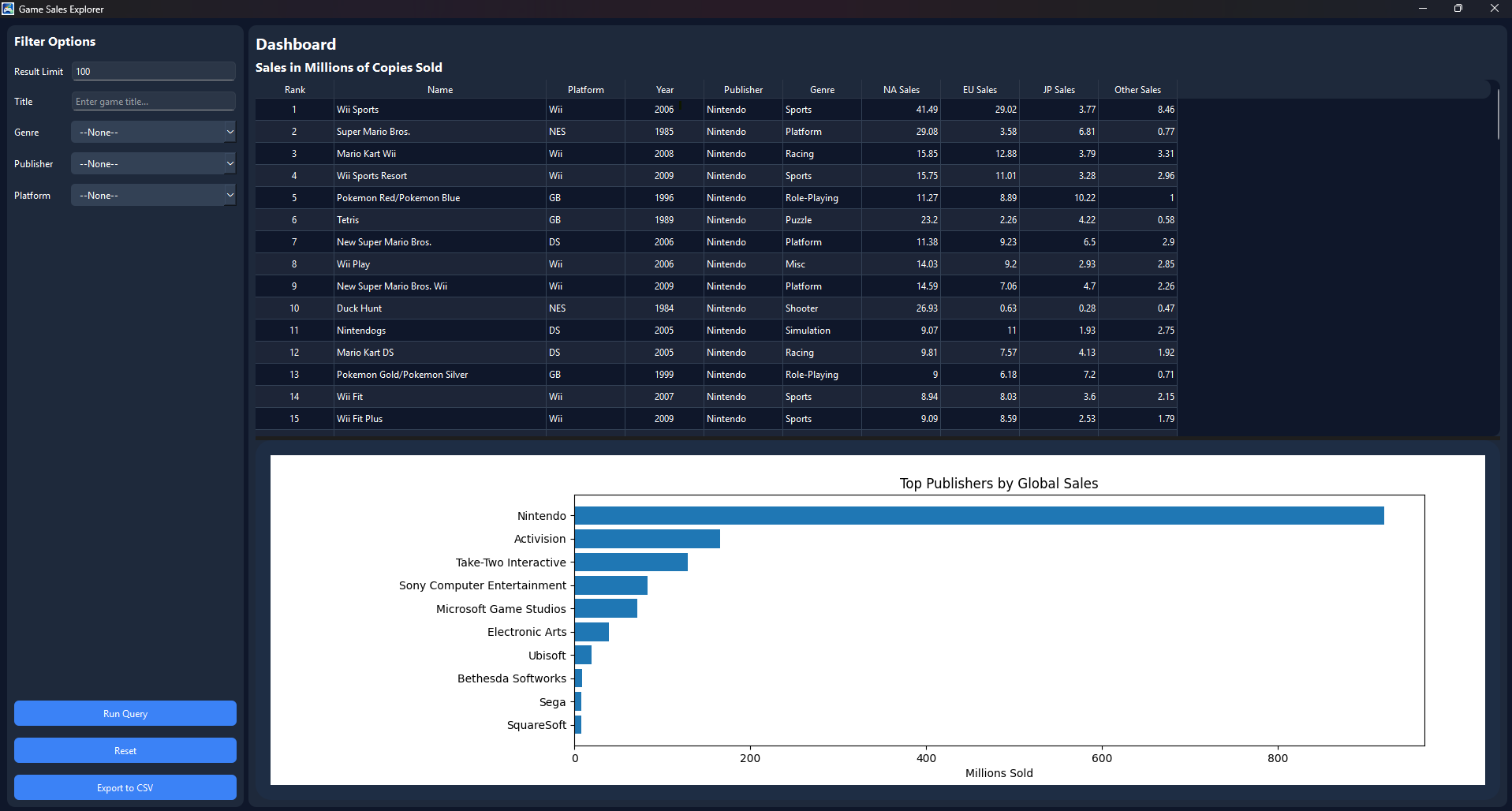
The application includes multiple filter options that allow users to refine queries and explore the dataset more efficiently. Users can filter results by game title, genre, publisher, platform, and result limit, with filters able to work individually or in combination. These options dynamically adjust the SQL query used to retrieve data, allowing for targeted searches and more flexible analysis of the video game sales dataset.
The application includes several control buttons to support interacting with the dataset. The Run Query button executes the selected filters and generates a dynamic SQL query to return matching results in the data table. The Reset button clears all applied filters and restores the default search settings, allowing users to quickly return to an unfiltered view of the data. The CSV Converter button exports the current query results into a CSV file, allowing filtered data to be saved and used outside the application for additional analysis or reporting.
The application includes a graphing feature that compares publishers based on total sales performance. Using the current filtered dataset, the graph displays which publishers have sold the most copies, providing a visual comparison of publisher performance beyond the data table. This helps users quickly identify top-performing publishers and analyze sales trends more effectively.
If you wish to test out these programs yourself. You can view and download them from my github, link provided down below. They do require you to have java installed though!
Game Sale Explorer